

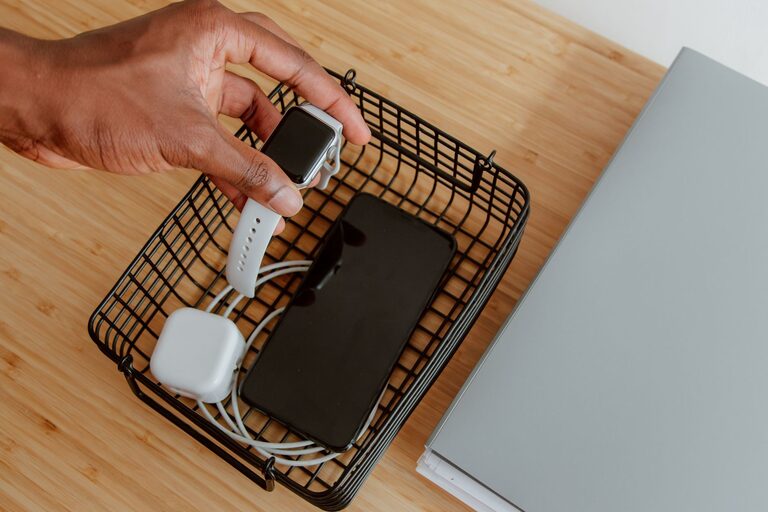
Setting up a dedicated charging station is a simple way to keep your devices organized and fully powered. Whether you have smartphones, tablets, laptops, or other gadgets, a well-planned charging station reduces clutter and makes it easy to charge multiple devices at once. In this guide, we’ll walk you through the steps to create an efficient and tidy charging station at home or in the office.
Why Have a Charging Station?
Before diving into the setup process, it’s helpful to understand the benefits of a charging station:
– Convenience: All your devices can be charged in one place, saving time and searching for cables.
– Organization: Reduces clutter caused by tangled cords and scattered chargers.
– Safety: Helps prevent overheating and reduces the risk of accidents.
– Aesthetics: A neat station looks better and blends into your space.
What You’ll Need
To create a functional charging station, gather the following items:
– A power strip or USB charging hub with multiple ports
– Charging cables for each device
– A container or organizer (e.g., box, tray, or basket)
– Cable management tools (cable ties, clips, or sleeves)
– Optional: labels and charging stands or docks
Step 1: Choose the Location
Selecting the right spot is crucial for accessibility and safety. Consider these factors:
– Accessibility: Place the station where you and your family use devices frequently (living room, kitchen counter, or office desk).
– Power Outlet: Ensure there’s an outlet nearby to plug in your power strip or charging hub.
– Ventilation: Avoid enclosed spaces where devices might overheat.
– Visibility: Choose a visible spot to remind you to charge your devices regularly.
Step 2: Select the Right Charging Equipment
There are different charging options to suit your needs:
– Power Strips with USB Ports: Great for charging multiple devices using different types of cables.
– USB Charging Hubs: Often come with smart technology to safely charge several devices at once.
– Wireless Charging Pads: Convenient for devices that support wireless charging, reducing cable clutter.
– Individual Charging Docks or Stands: Useful for devices you charge often, such as phones or tablets.
Tip: Opt for equipment that supports fast charging if your devices are compatible.
Step 3: Organize Your Cables
Cables can become tangled quickly if not managed well. Here are some organizing tips:
– Label Your Cables: Use stickers or tags to easily identify which cable belongs to which device.
– Use Cable Ties or Velcro Straps: Bundle excess cable length neatly.
– Cable Clips or Holders: Attach these to your desk or wall to keep cables in place.
– Cable Sleeves: Group cables together for a cleaner look.
Keeping cables organized also makes it easier to replace or add cables in the future.
Step 4: Set Up the Station
Now it’s time to assemble your charging station:
- **Plug in the power strip or charging hub** into the outlet.
- **Place the container or organizer** near the power source.
- **Arrange charging cables** so they are easily accessible but not tangled.
- **Place your devices** in the organizer while charging.
- If using wireless chargers or docks, position them where devices can rest easily.
Consider stacking or tiered organizers if you have many devices. Make sure the station remains neat and avoids blocking airflow around devices.
Step 5: Maintain Your Charging Station
A charging station should be checked regularly to ensure it functions properly:
– Inspect cables for wear or damage and replace if needed.
– Clean dust and debris around the station to avoid overheating.
– Unplug devices once fully charged to save energy and protect battery health.
– Rearrange or add new cables as your device collection changes.
Additional Tips for an Efficient Charging Station
– Use surge protectors to protect devices from power spikes.
– Consider a charging station with built-in smart technology to optimize charging.
– For families, color-code cables or ports for each member’s devices.
– Minimize the number of chargers; multi-port chargers reduce wall clutter.
– Position the charging station near frequently used seating areas for easy access.
Conclusion
Creating a charging station is a practical and straightforward way to manage your devices and keep them ready to use. By selecting the right equipment, organizing cables effectively, and choosing a convenient location, you can enjoy a clutter-free space while ensuring all your gadgets stay powered throughout the day. Start your setup today and experience the difference a dedicated charging station makes!