

In today’s connected world, notifications from smartphones, apps, and emails are constant and often overwhelming. While they help us stay informed, unchecked alerts can interrupt our focus, increase stress, and reduce our productivity. Setting boundaries with notifications is key to reclaiming your time and mental space.
This guide will help you understand why notification boundaries matter and offer practical steps to manage them thoughtfully.
Why Setting Notification Boundaries Is Important
Notifications are designed to grab your attention, but when they arrive too frequently, they can:
– Distract you from important tasks
– Increase anxiety or stress levels
– Interrupt your flow and creativity
– Make it harder to switch off at the end of the day
By consciously managing notifications, you improve your ability to concentrate, reduce digital clutter, and create healthier technology habits.
Assess Your Current Notification Setup
Before making changes, take a moment to assess your current notification environment:
– Which apps send you the most alerts each day?
– Are all notifications important, or do some feel unnecessary?
– When do you most often check your phone due to notifications?
– Do notifications interfere with your work, relaxation, or sleep?
Writing down your answers can help identify patterns and prioritize which alerts truly need your attention.
Tips for Setting Boundaries with Notifications
1. Customize Notification Settings by App
Most devices allow you to control notifications on an app-by-app basis. Consider:
– Turning off non-essential notifications entirely
– Using “silent” notifications (no sound or vibration) for lower-priority apps
– Grouping notifications to avoid constant interruptions
For example, social media apps may not need sound alerts, while messaging apps from close contacts could remain audible.
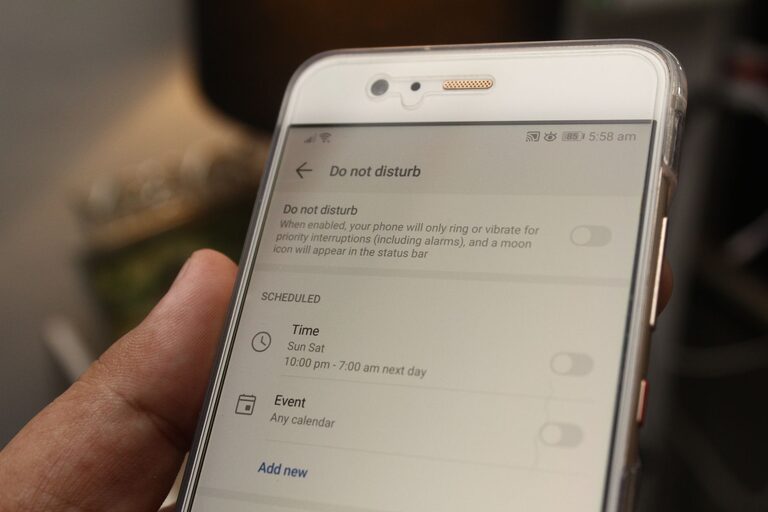
2. Use Do Not Disturb or Focus Modes
Modern smartphones include “Do Not Disturb” or Focus modes designed to block notifications temporarily:
– Schedule these modes during work hours, meetings, or sleep
– Allow calls or messages only from important contacts when enabled
– Customize modes for different settings, like work, personal time, or driving
This approach helps you stay present and minimizes distractions when concentration is crucial.
3. Limit Notifications to Specific Times
Instead of responding to every alert immediately:
– Set specific times during the day to check non-urgent notifications
– Use batch processing to review messages, emails, or social media in one sitting
– Avoid checking notifications outside those periods to reduce constant interruptions
This way, you maintain control over your attention rather than reacting impulsively.
4. Turn Off Push Notifications for Email and Messaging
Email and messaging apps can especially flood you with alerts. Consider:
– Disabling push notifications and checking emails/messages manually
– Setting email notifications only for priority senders or VIP lists
– Using filters and rules within email clients to highlight important messages
This reduces the noise and helps you focus on relevant communication.
5. Take Advantage of Notification Summary Features
Some devices offer notification summaries that collect non-urgent alerts and deliver them at chosen times:
– Enables you to stay informed without being constantly disrupted
– Lets you review notifications when it’s convenient, such as midday or evening
– Encourages mindful digital habits by grouping instead of scattering alerts
Check if your phone or app supports this feature and experiment with different times.
6. Create Physical Boundaries for Your Devices
Managing notifications isn’t just about settings. Physical boundaries can also help:
– Keep your phone out of arm’s reach during focused work or meals
– Use “airplane mode” or turn off devices during downtime
– Place devices in another room when sleeping to avoid nighttime disturbances
Reducing physical access to devices supports mental distancing from constant notifications.
7. Communicate Your Notification Preferences to Others
Let friends, family, and colleagues know about your notification boundaries:
– Specify preferred communication channels for urgent matters
– Share your “do not disturb” schedule for work or rest times
– Encourage others to respect your digital boundaries for mutual benefit
Clear communication helps manage expectations and reduces pressure to respond immediately.
Benefits of Setting Notification Boundaries
By implementing notification boundaries, you can expect:
– Improved focus and productivity during work or study
– Reduced stress and better emotional well-being
– More quality time for offline activities and relationships
– Better sleep due to fewer nighttime interruptions
– Greater control over your digital life
Even small adjustments can make a big difference in how you experience technology daily.
Final Thoughts
Notifications aren’t inherently bad; they can be helpful tools when managed wisely. Setting thoughtful boundaries allows you to stay connected on your own terms, balancing awareness with peace of mind.
Start by reviewing your current alert patterns and experimenting with the tips above. Remember, the goal isn’t to eliminate all notifications but to create a manageable system that supports your priorities and well-being.
Give yourself permission to take control—your focus and mental clarity will thank you!